Craft
What it is
Craft is an agent skill in the Agent Skills format: a folder with SKILL.md, reference docs, CSS, markup fragments and scripts. With it, an agent builds a report, a dashboard, a small tool or a talk deck on request.
The result is one folder with an index.html. It opens with a double click over file://, with no server, build step or network. Both formats have a light and a dark theme.
The agent does not write markup from scratch. It starts from ready fragments, reads only the references for what the material contains, and runs a check in Chromium. The skill is tested with Claude Code and pi.
Install
With the skills CLI, which finds the skill folders of your installed agents:
npx skills add pavelkorolevxyz/craft --globalOr clone the repository into your skills folder by hand. For Claude Code that is ~/.claude/skills:
git clone https://github.com/pavelkorolevxyz/craft ~/.claude/skills/craftRestart the agent after installing. The scripts need Python 3. The browser check needs Chromium and Node.js 22 or newer, and QR codes in slides also need qrencode and zbarimg. If Chromium is not on PATH, set CHROMIUM to its path.
Usage
Ask the agent directly and give it your data:
Build a Craft page from this data: …
Make a Craft deck for a 20-minute talk: …
Add a summary block to my site, Craft styles only: …
From there the agent:
- picks the format, a page or a slide deck;
- creates the project from a starter and adds fragments;
- reads references only for what the material has, such as a table, chart, form or video;
- runs the check and fixes what it finds.
Numbers, sources and quotes come from your data. If data is missing, the agent should ask instead of making it up.
Formats
- Page with a shell (
blank). A header, a theme toggle and behavior rules. For a report, dashboard or tool that stands on its own. - Styles only (
bare). No header or toggle. For a block on another site or a page with its own frame. - Slides. A 16:9 deck with a cover, chapters, step reveal, charts, code, video, QR codes, PDF printing and an archive for organizers.
Each format has a live sample below.
Samples
Live pages built with Craft. They open in the browser as they are; switch the theme with the button in their header or T in a deck.
-
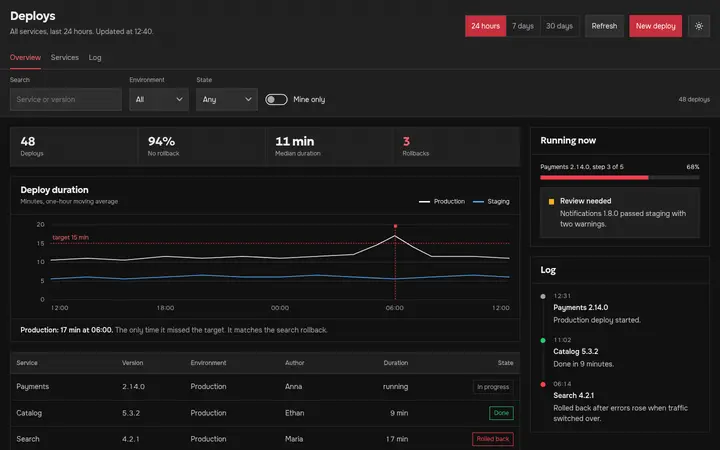
Showcase dashboard
A page with a shell: filters, metrics, a line chart, a table and a side panel
-
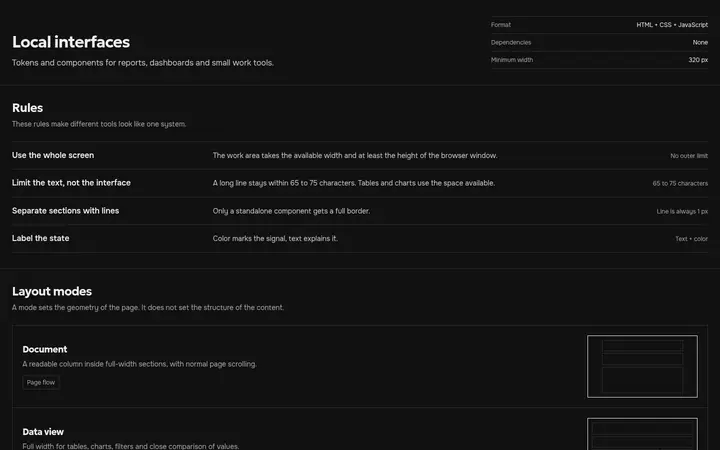
Interface catalog
Every component and state, from tokens to finished pages
-
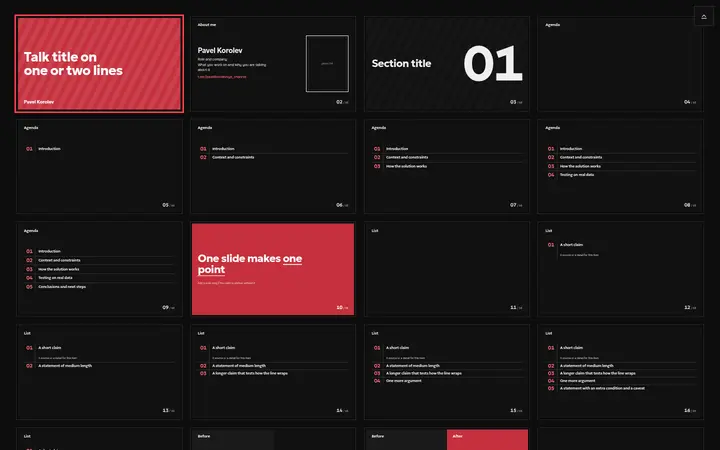
Slide catalog
Every deck layout with its reveals; the arrow keys page through it
-
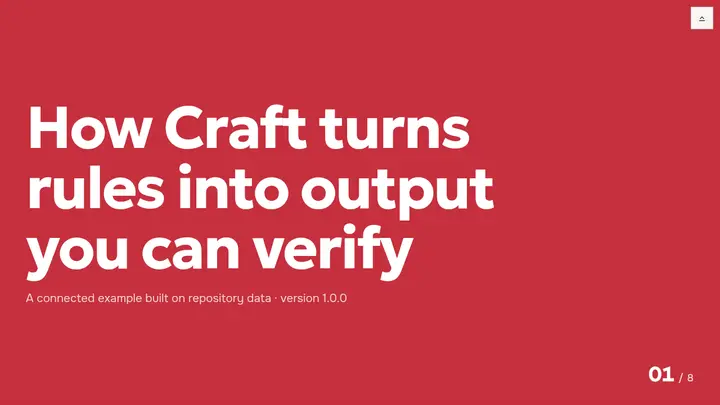
Mini deck
The same layouts put together as a short talk
Checks
check_project.py has three levels. --static-only checks sources and resources without a browser. The default, which the agent runs after every edit, opens the result in Chromium at 1440, 390 and 320 px in both themes. --full, run once before handing the material over, adds the PDF and, for a deck, motion, video and the control panel. Together they look for:
- external and broken resources, horizontal scrolling;
- unnamed buttons and fields, skipped heading levels;
- on pages: overlapping text, contrast below WCAG AA, text under 12 px, tap targets under 24 px;
- in decks: every step of every slide, layout shifts on reveal, video, QR codes and the PDF.
You still need to check the meaning, contrast on a projector and behavior on a real phone yourself.
Without an agent
You can run the same scripts by hand from the skill folder:
python3 scripts/scaffold.py ./output/report --surface interface --title "Report"
python3 scripts/compose.py ./output/report --list-fragments
python3 scripts/check_project.py ./output/report --full
Other commands, the repository layout and development are in the README.